
Your clients use WhatsApp. Your practice stays in control.
Collect sales, expenses and receipt photos through WhatsApp. Review each submission in ChatBook, edit details when needed, and approve records for Xero from one practice dashboard.
Keep your review process. Make client submissions easier.
Your clients submit information through a channel they already use. Your team stays in control: review submissions, correct details, and approve or reject them before approved records reach Xero.
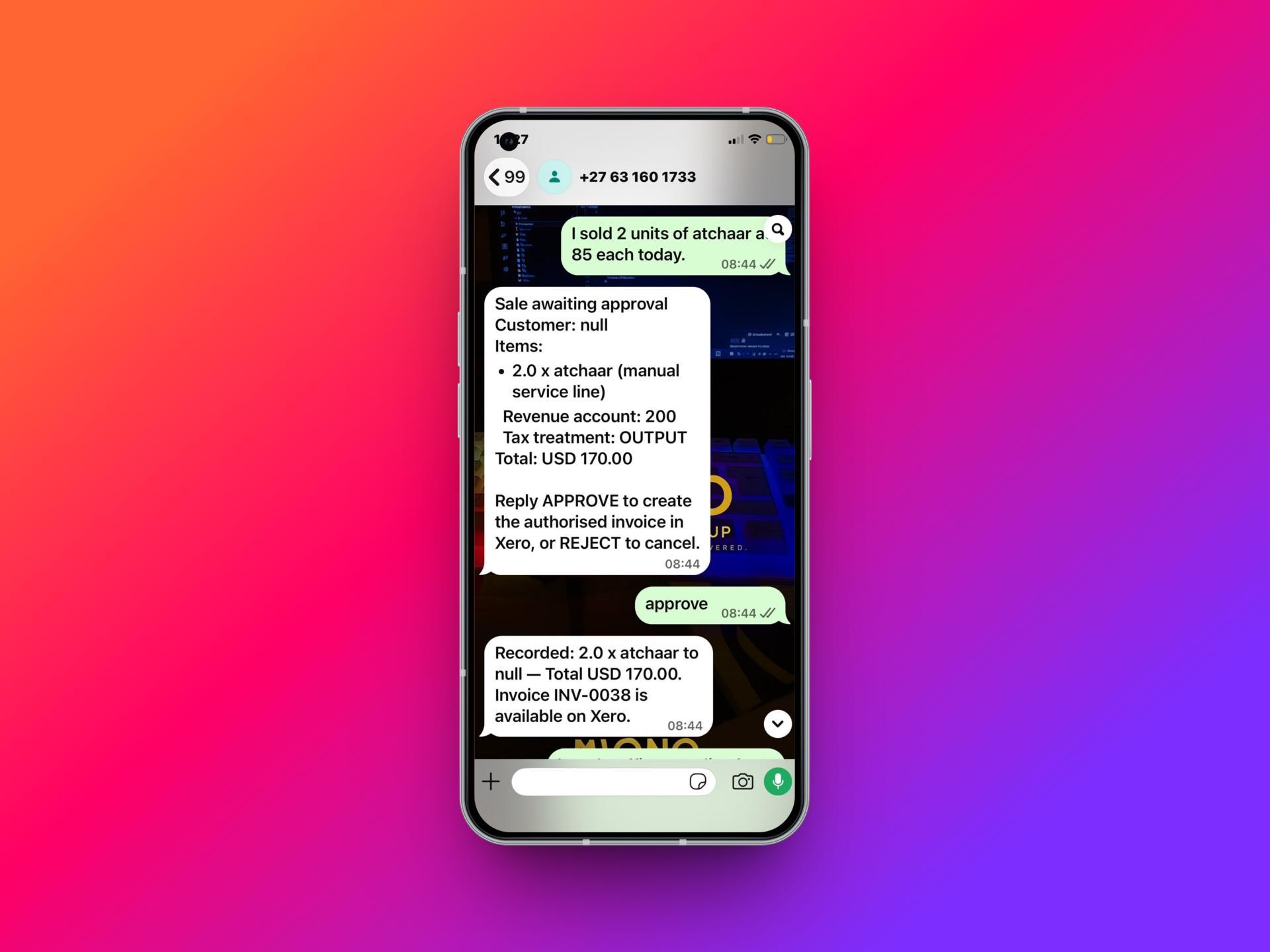
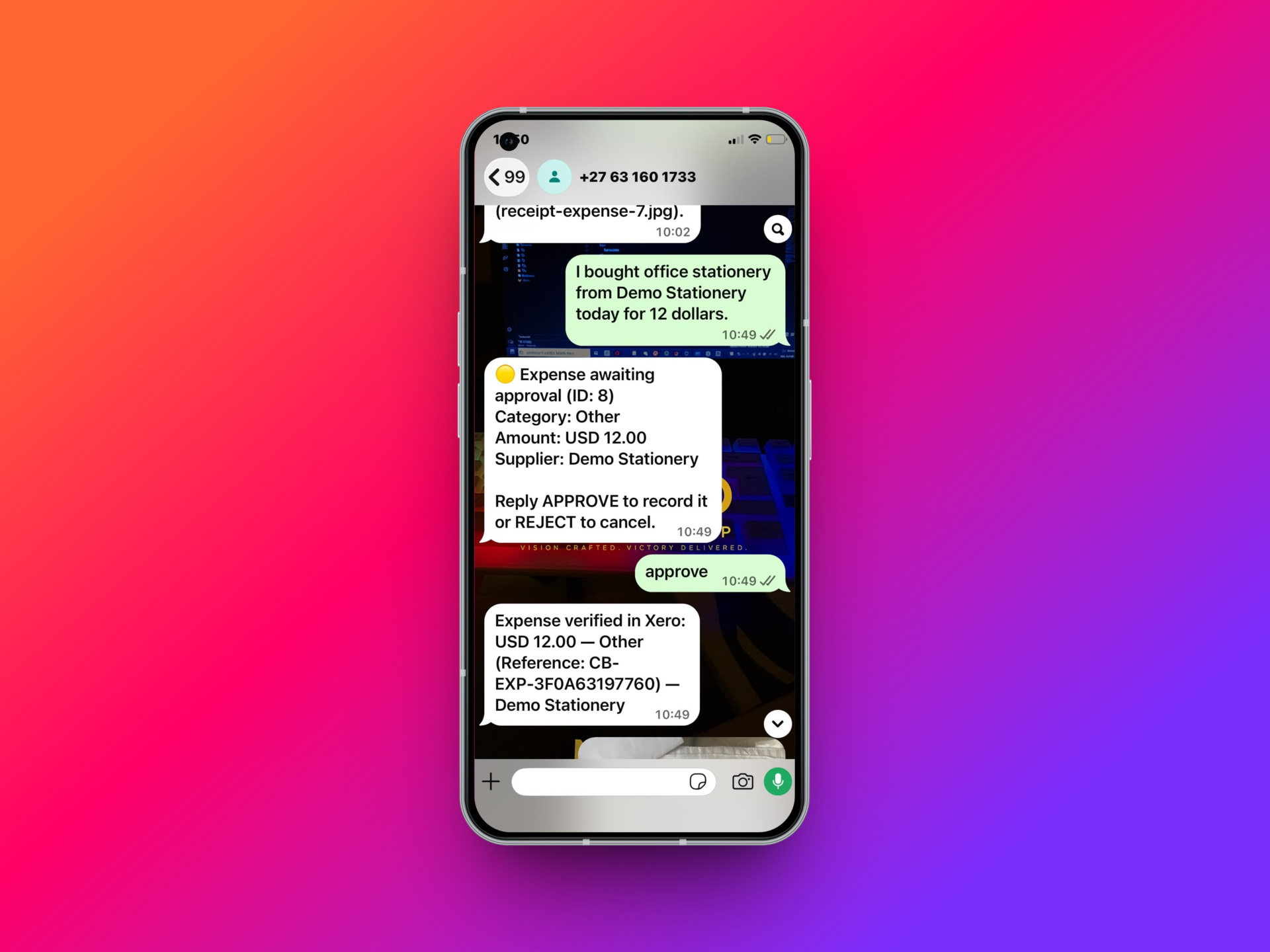
Clients send supported sales, expense details and receipt photos through WhatsApp.
Your team reviews submissions and can edit, approve or reject them in the ChatBook dashboard.
Approved records are sent to the client's connected Xero organisation.
Less chasing for records. More control over what reaches Xero.
Bring sales, expenses and receipt photos into one review workflow without asking clients to learn another platform.
Expense submissions
Clients can submit expense details through WhatsApp for processing in the connected workflow.
Sales submissions
Clients can submit supported sales information through a familiar conversation.
Receipt-photo support
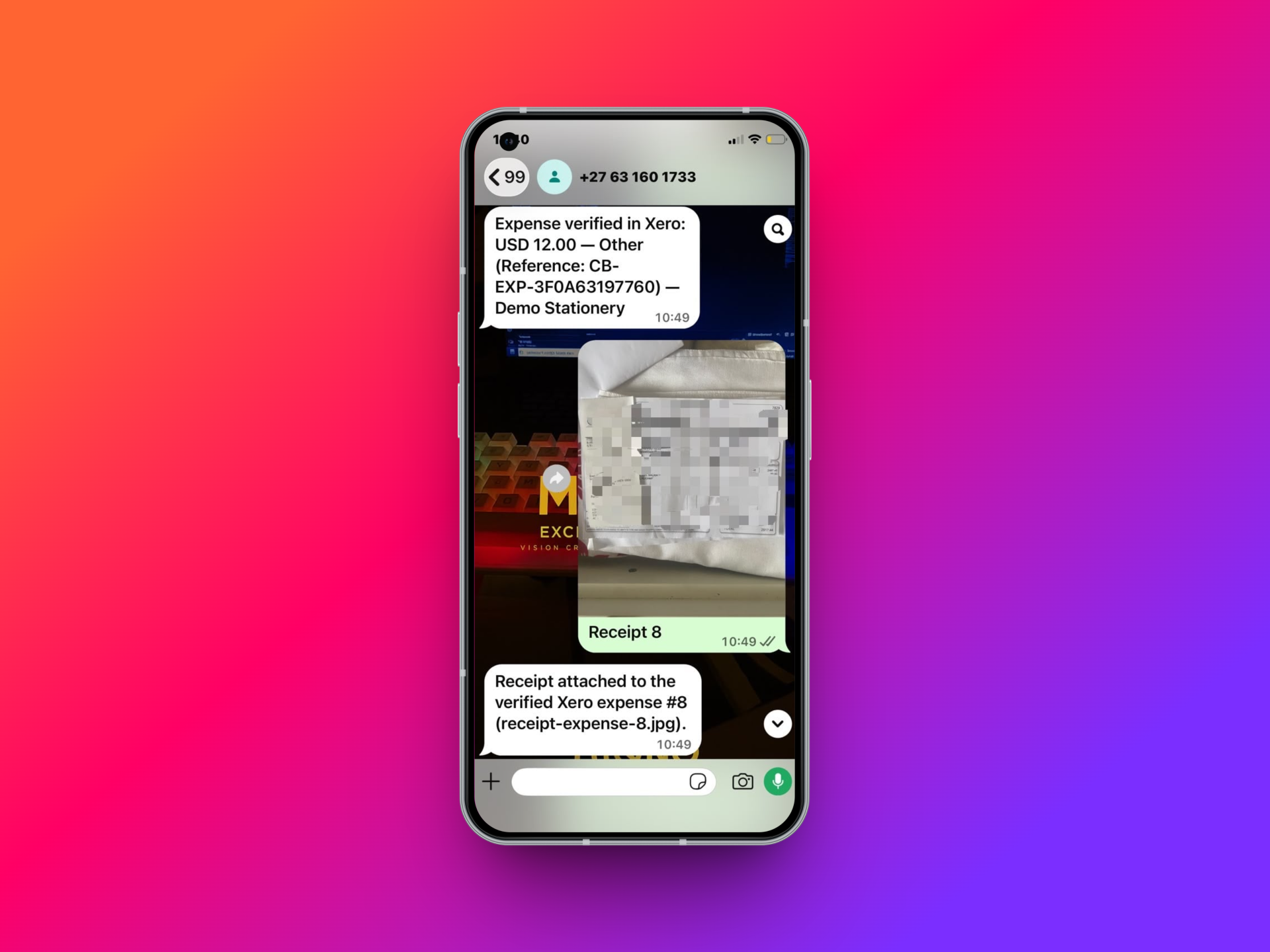
Clients can send receipt photos as part of supported expense submissions.
Works alongside Xero
ChatBook complements your existing accounting workflow; it does not replace Xero or your professional review.
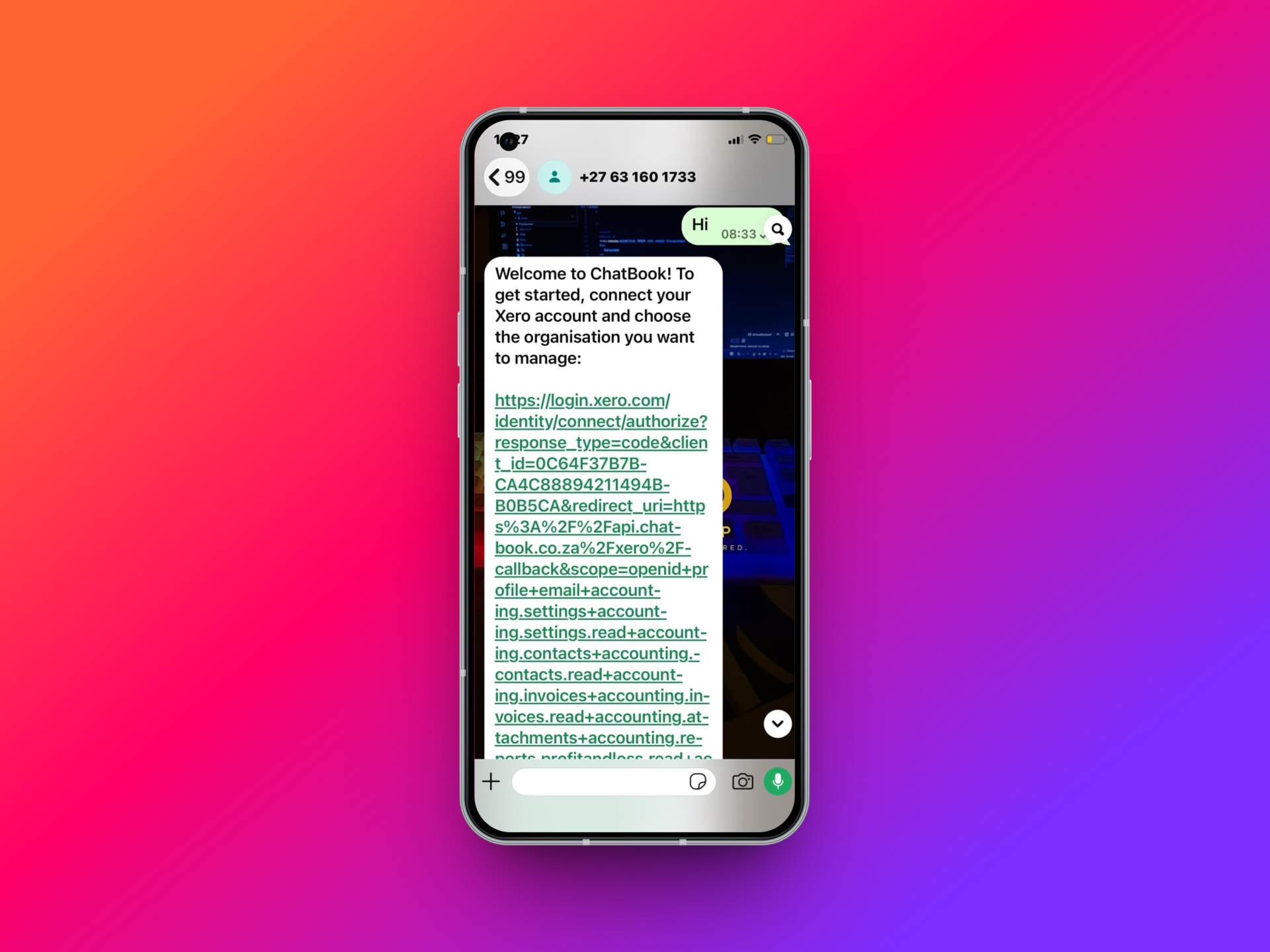
See the client experience, from WhatsApp submission to your workflow.
Explore the current product flow for sales and expense submissions. Features shown here may be limited to supported workflows.

Explore a client workflow before rolling it out.
Start with a walkthrough of the current capabilities, then assess whether the supported workflows fit your practice and clients.
Book a demo
Contact us to arrange a walkthrough for your accounting or bookkeeping practice.
Review the connection
Walk through how the current Xero connection and authorization process works.
Evaluate the workflow
Test supported sales and expense submissions before considering use with live client records.
Make it easier for clients to send records—and easier for your team to review them.
Accountants and bookkeepers are invited to explore ChatBook's current capabilities and discuss a controlled pilot for their practice.
Book a Demo